 Tactye
One tool for every sport, every coach
From the free tactical board to animated plays, events and AI — see what's included, sport by sport.
AI assistant
An assistant coach for the paperwork
Tell the AI in plain words what you need, and it writes a draft. You check and edit everything it writes, and nothing reaches your players until you publish it. What it does today:
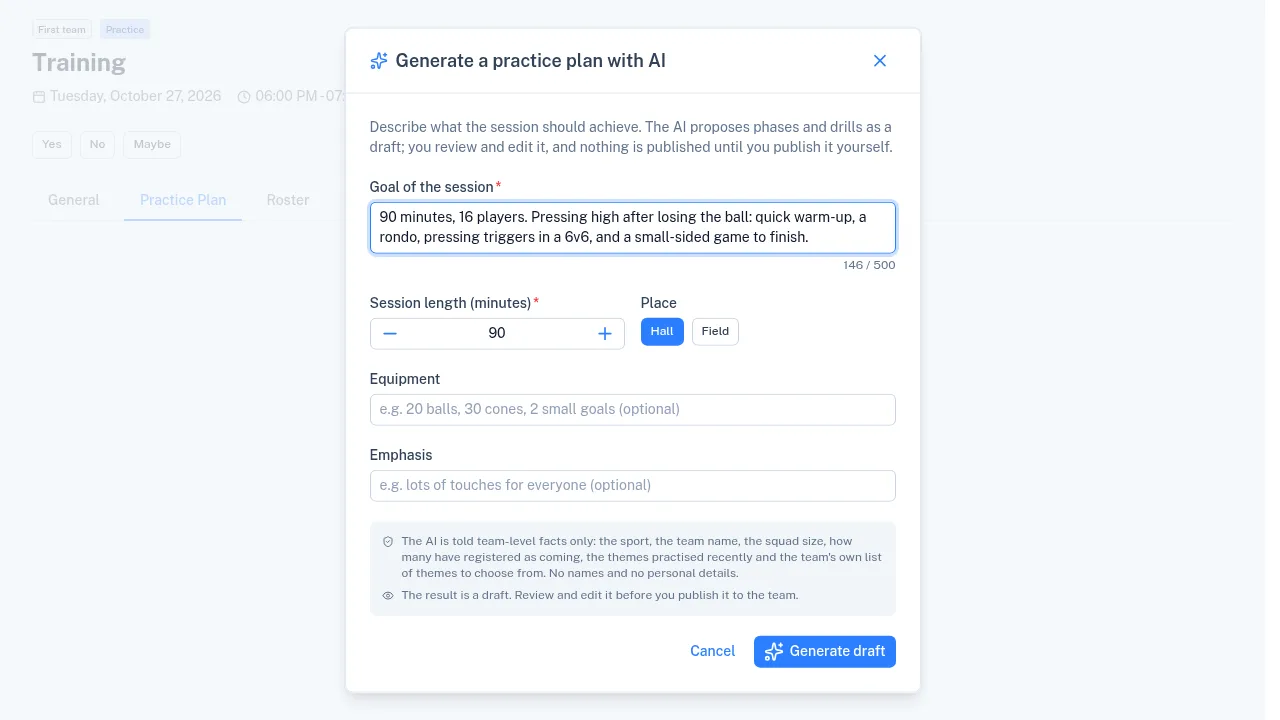
- Practice plans: describe the session and get its phases and drills, on an event's Practice Plan tab or as a plan template in the tactical book.
- Drills: generate a new drill for the tactical book, or tell the AI how a drill in a plan should change.
- Tactical boards: the AI draws a drill's starting position from its description, and writes a drill's description from its board.
- Imports: drills from a PDF or a picture of a drill sheet, a practice plan from screenshots, and games and practices into the calendar from a schedule.
- Feedback surveys: draft a team survey from a topic, and get the answers summarized.
- Player cards: a summary of the memos coaches wrote over a period, and earlier results read from a picture or a PDF.
Events
Your whole season on one calendar
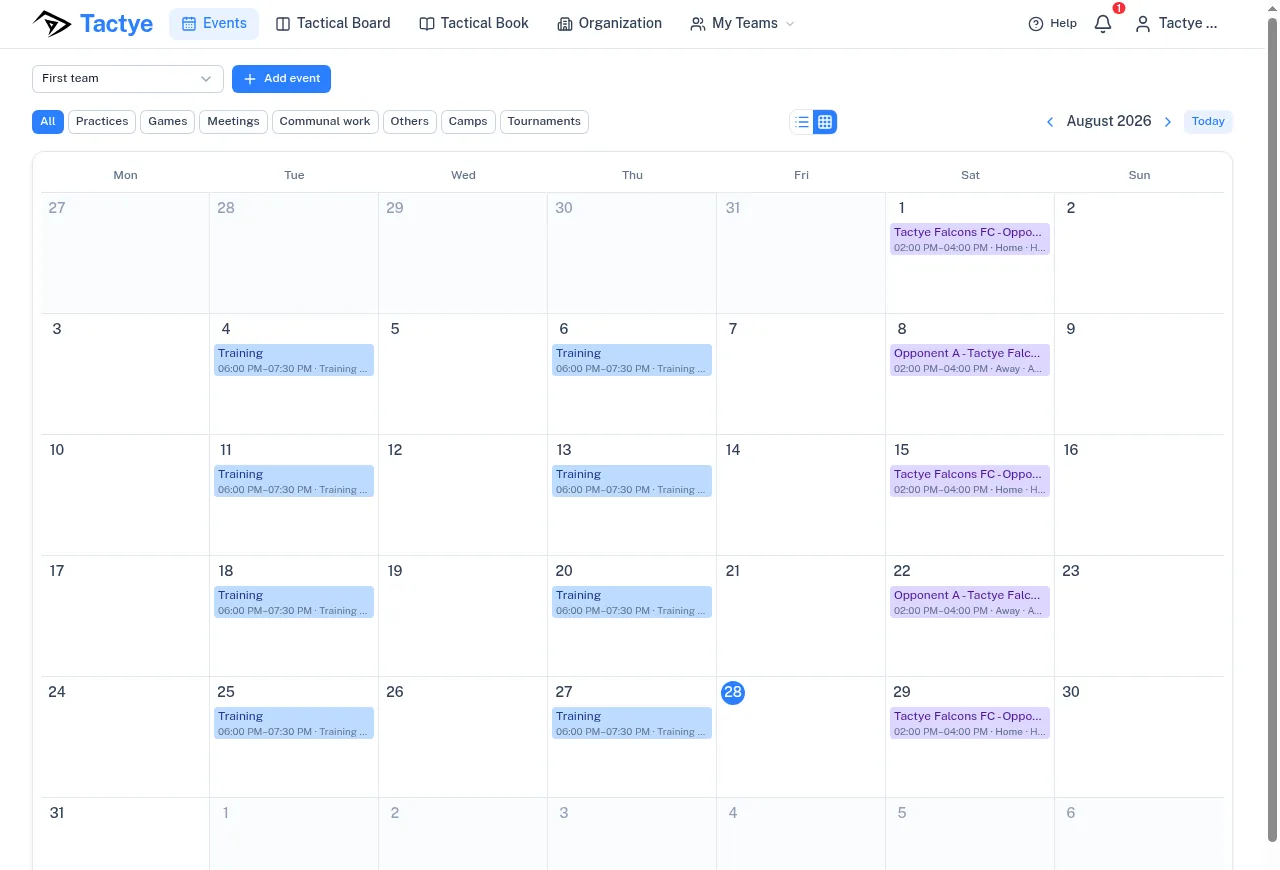
Schedule every kind of event your club runs — practices, games, meetings, camps, tournaments and communal work. Filter to a single type when you're planning one thing, or show them all together for the full picture.
Switch between calendar and list view, jump between months, and see at a glance which events already have a practice plan attached.
Plans change — so copy, edit, cancel or delete any event in a couple of clicks. Duplicate a recurring practice instead of rebuilding it, and cancel without losing the record.
Board × Events, connected
Your line-ups and your tactical board, in one tool
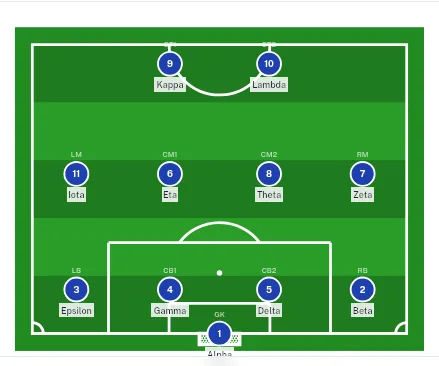
Build a line-up inside an event (game or practice), then open the tactical board straight from it — and every player drops onto the field with their own name on the marker.
No more generic dots. Players see exactly who they are and where they belong, so the whole team reads the plan instantly — even in a fast-paced game.
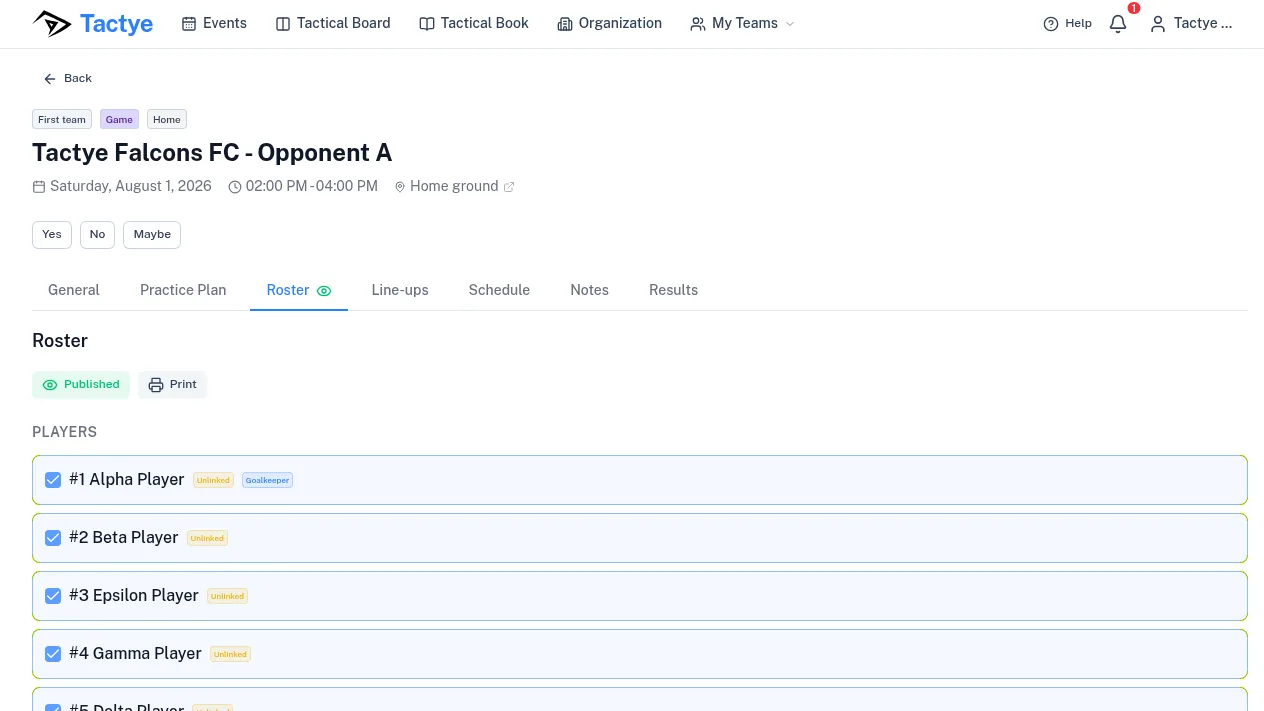
Work through alternative line-ups and rosters with your coaching staff first — nothing reaches the players until you decide to publish.
Tactical book
Your whole season's work, saved and reusable
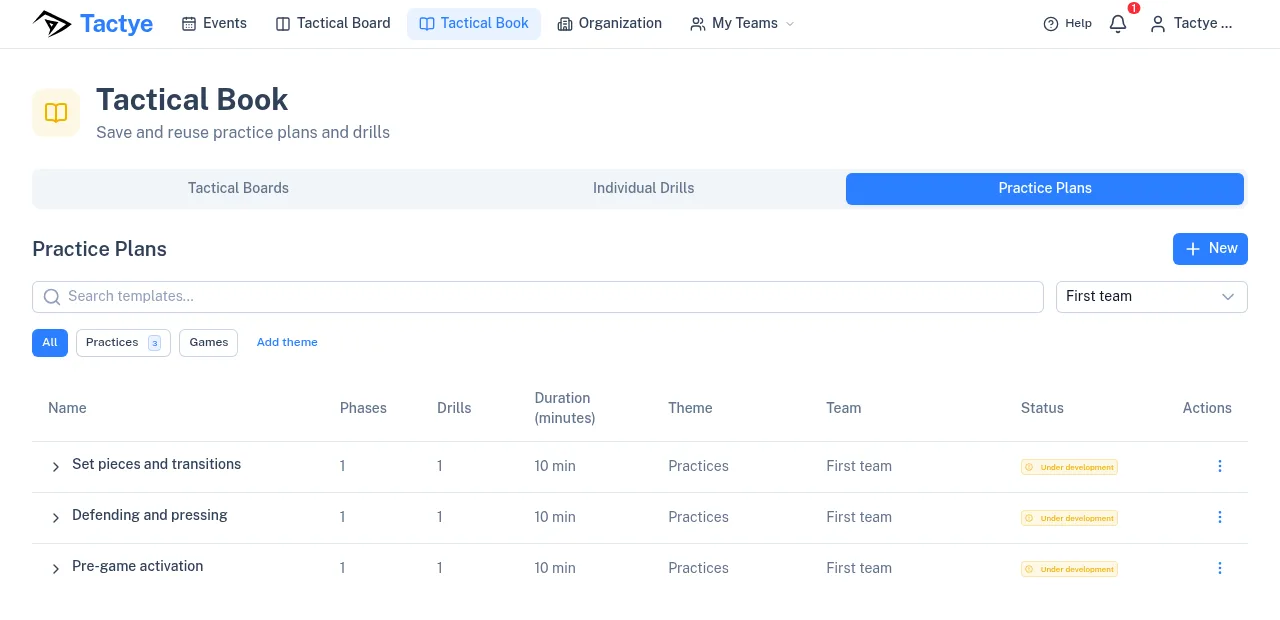
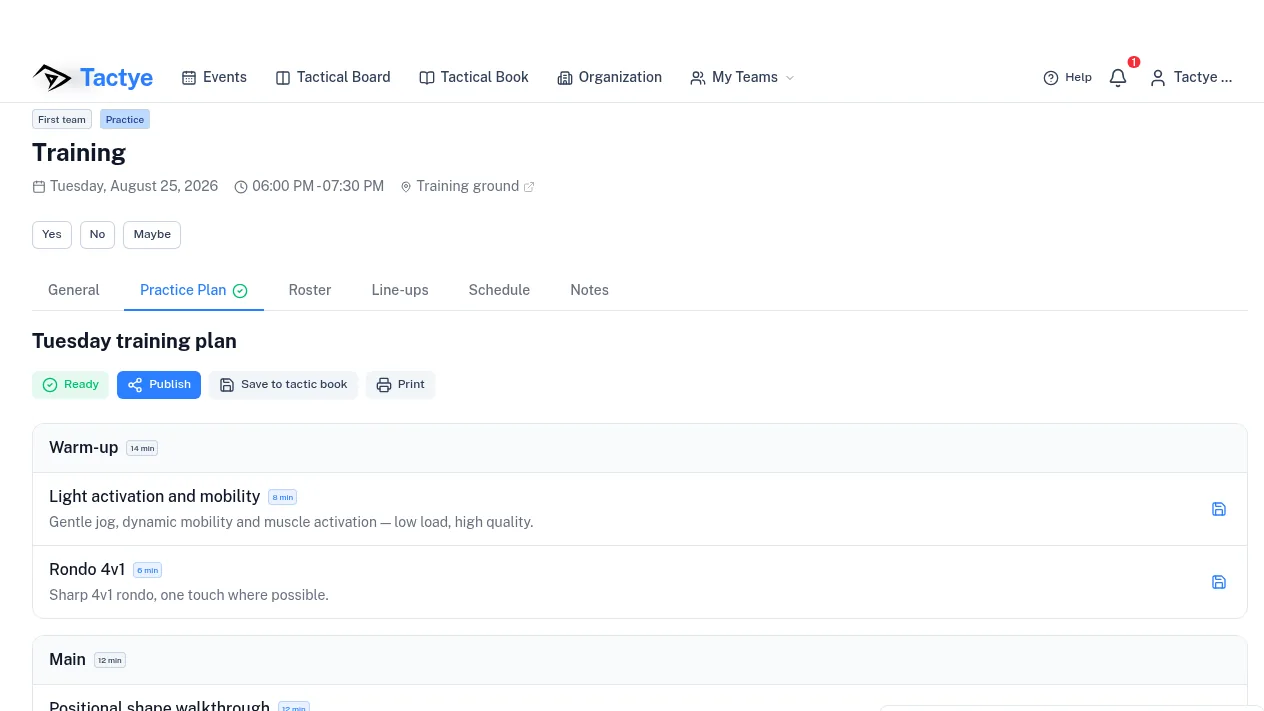
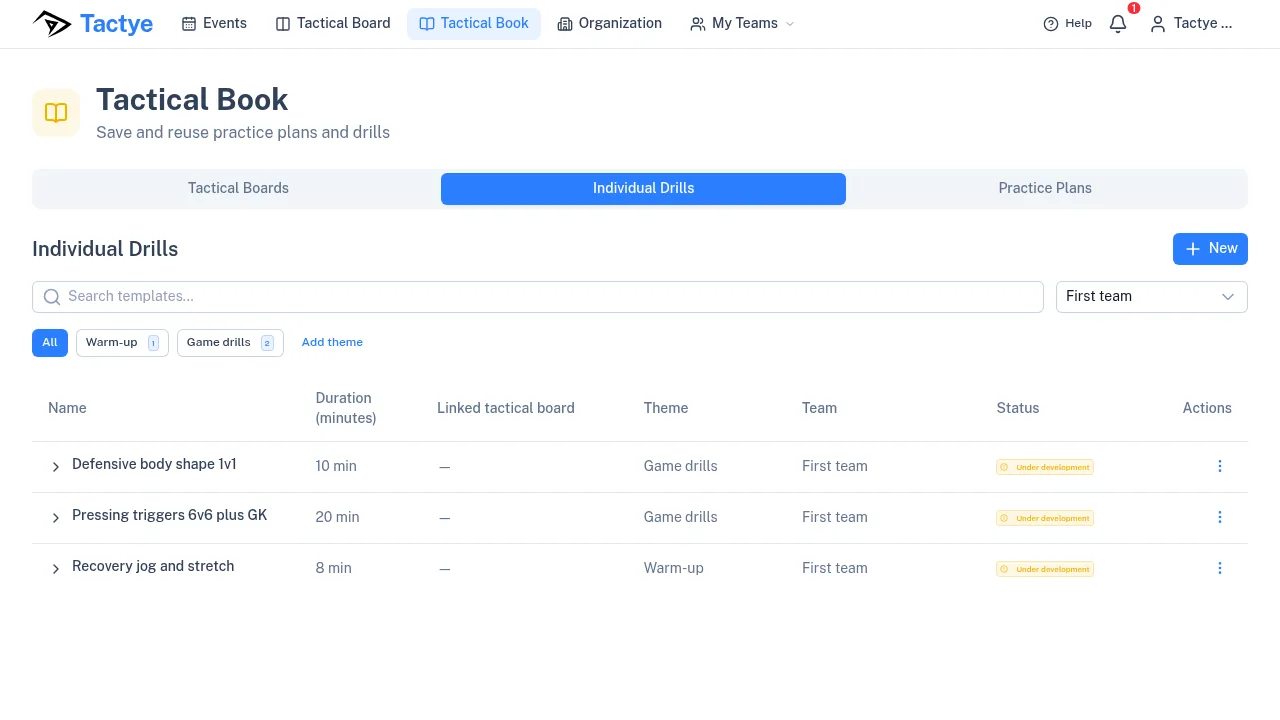
Every tactical board, drill and practice plan you build lands in the tactical book — organised by team, theme and status, with phases and duration at a glance.
A practice plan is built from phases, and each phase can hold as many individual drills as the session needs. Attach a tactical board to any drill, and the whole session — structure, timing and tactics — lives in one place.
Search a plan, reuse it next week, or share it with the rest of your coaching staff instead of rebuilding it from scratch.
Team statistics
What did the team really practice this season?
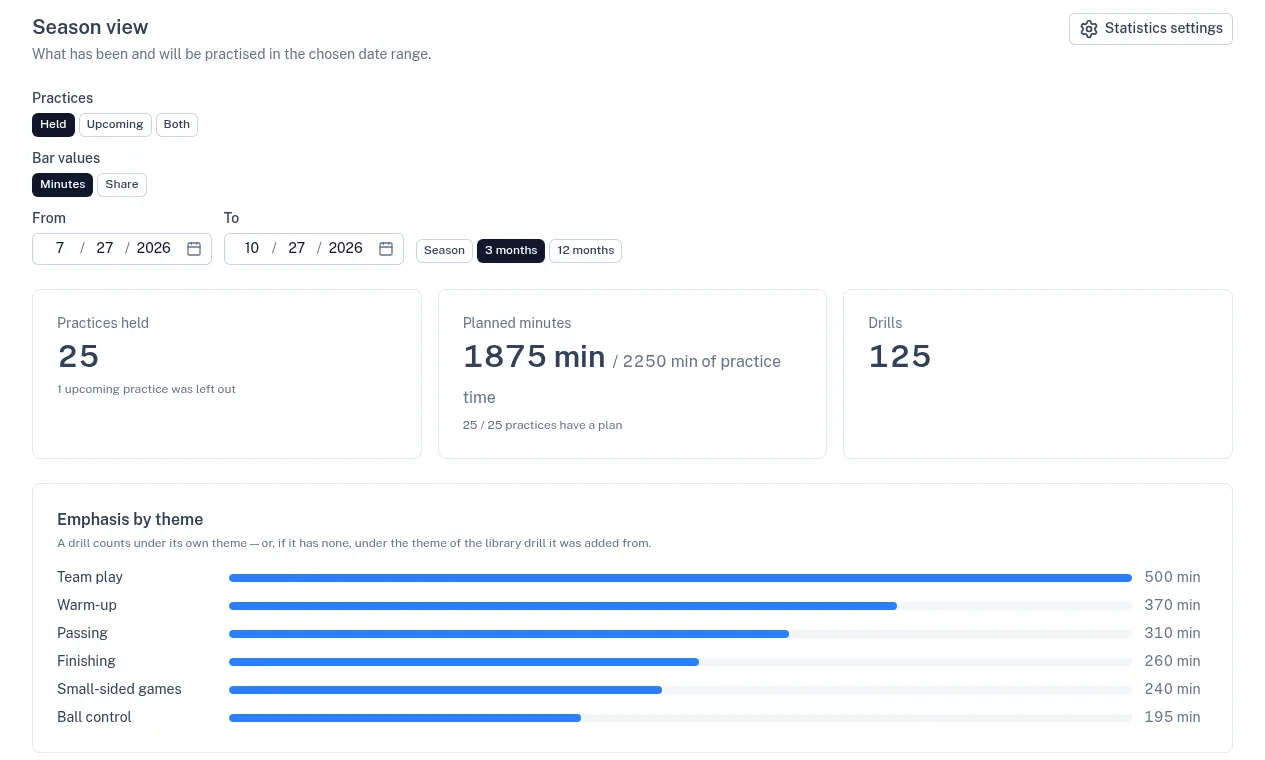
The Statistics tab on the team page adds up the practices in any date range — the season, the last three or twelve months, or dates you pick — counting the ones held, the ones ahead, or both. What it shows:
- Practices held and practices ahead. Cancelled ones are left out, and the page says how many.
- Planned minutes against the practice time on the calendar, and how many practices have a plan.
- Emphasis by theme: how many minutes each drill theme got.
- Minutes by phase: warm-up, technique, tactics, game play, physical and cool-down.
- The most repeated drills, with how many times each was run and for how many minutes.
- Season dates set once for the team, so the Season button always shows the current season.
Player statistics
Every player's results, and how they move
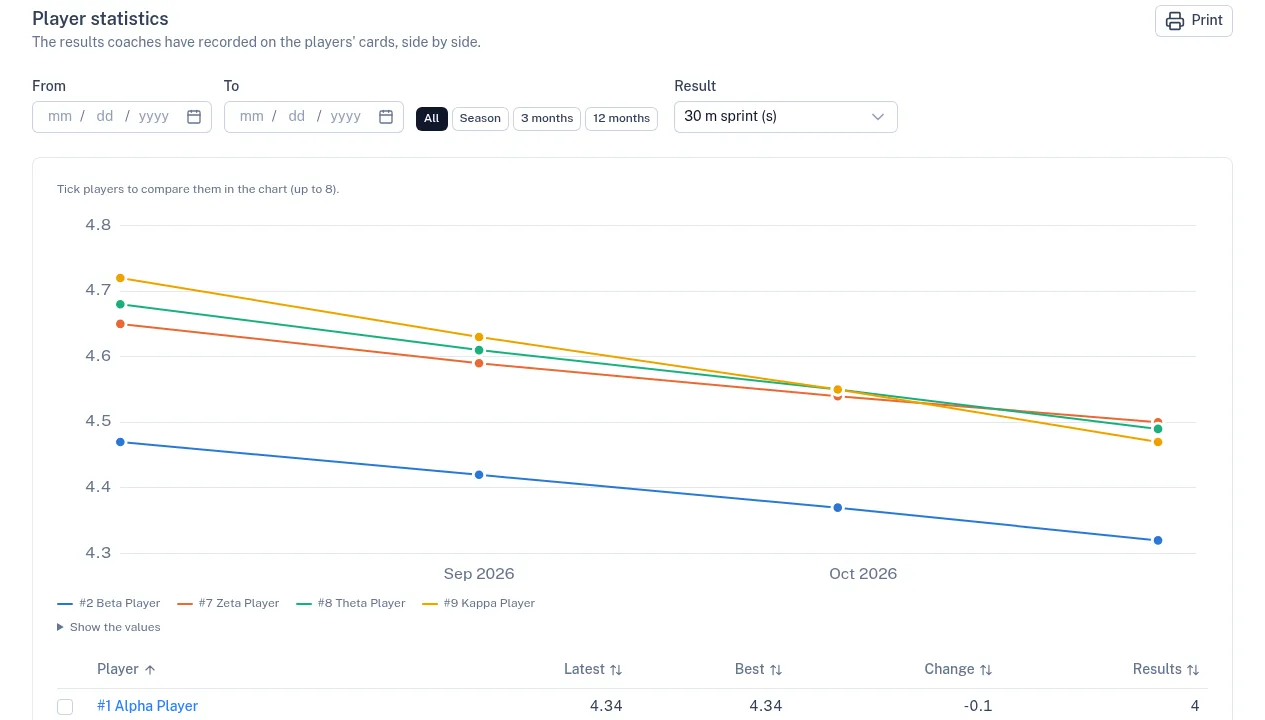
Coaches record test and fitness results on each player's card, and the team's Player statistics tab puts them side by side. What you can do, and where:
- On the player card, add results for anything you measure — a 30 m sprint, a jump, VO2 max — with its unit, the date and the weight on the day.
- The team remembers the results it measures, so the next test day is quick to enter.
- Figures per kilo are worked out for you (VO2 in ml/kg/min, power in W/kg), and so is the faceoff win %.
- Progress charts on the card show each result over any period.
- The Player statistics tab on the team page lists every player's latest and best result and the change, and compares up to eight players in one chart.
- Earlier results on paper? The AI reads them from a picture or a PDF, and you check each day before it is saved.
- Open a card from the team page or from an event's roster, and print the card or the comparison. Results stay with the coaches until you publish them to the player.
3D view
Watch the play in 3D
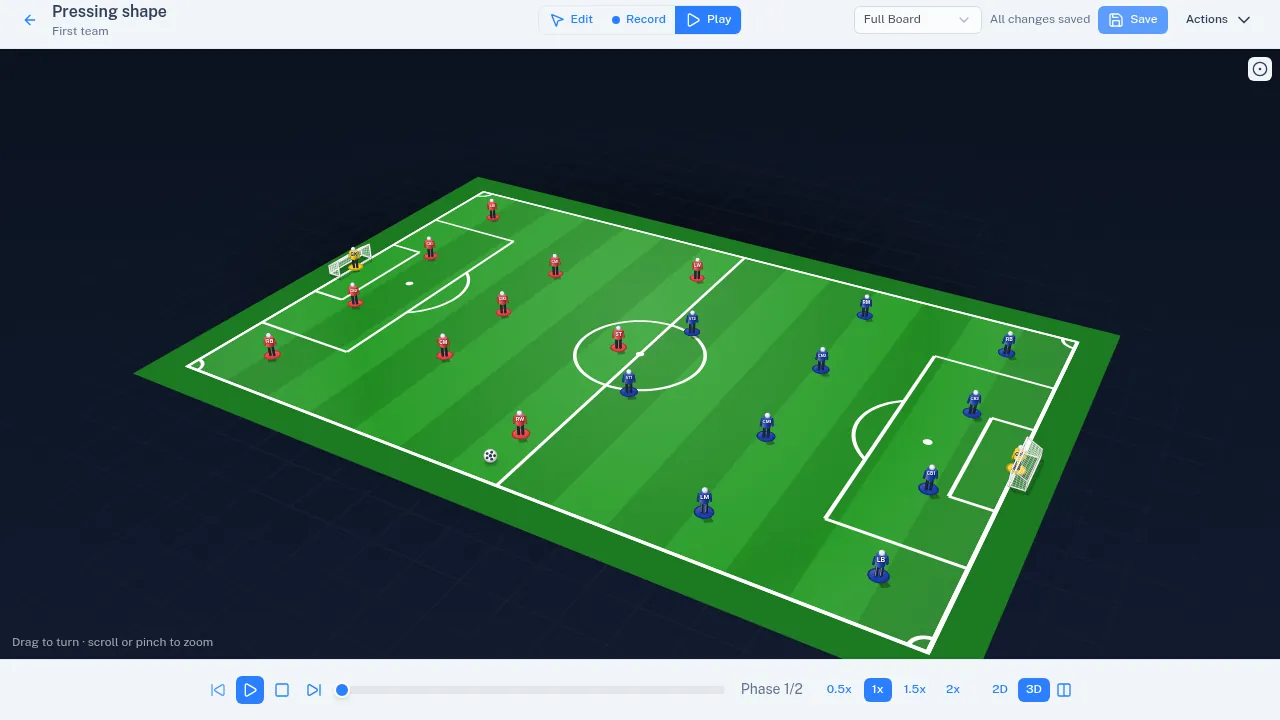
Every animated board can be played back in 3D. Switch between 2D, 3D and side-by-side in Play mode, drag to turn the camera, and scroll or pinch to zoom.
Show players as discs or as figures, save the angle that tells the story best, and export the video in 3D.
Organization
One club, every team, under one roof
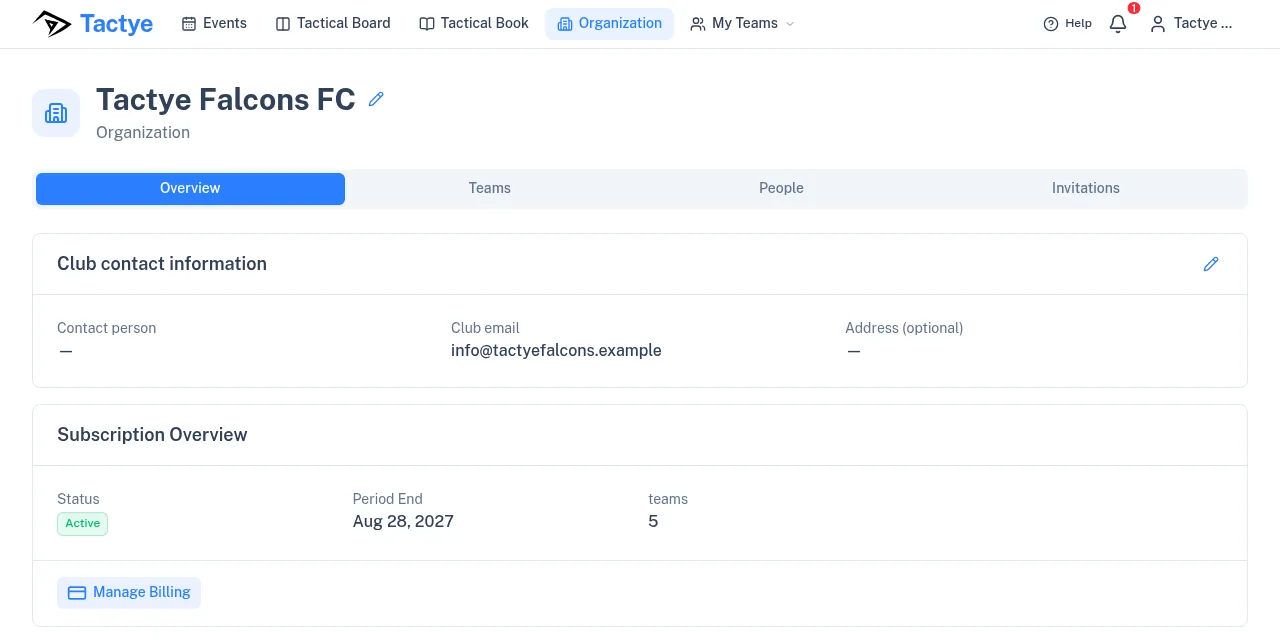
Run the whole club from a single place: billing and subscription, teams, people, roles and invitations. See your plan status, period and team count at a glance.
Invite coaches and players by email, give each person the right role, and move them between teams as your season changes — no spreadsheets, no duplicate accounts.
Teams
Every team, with its own staff and squad
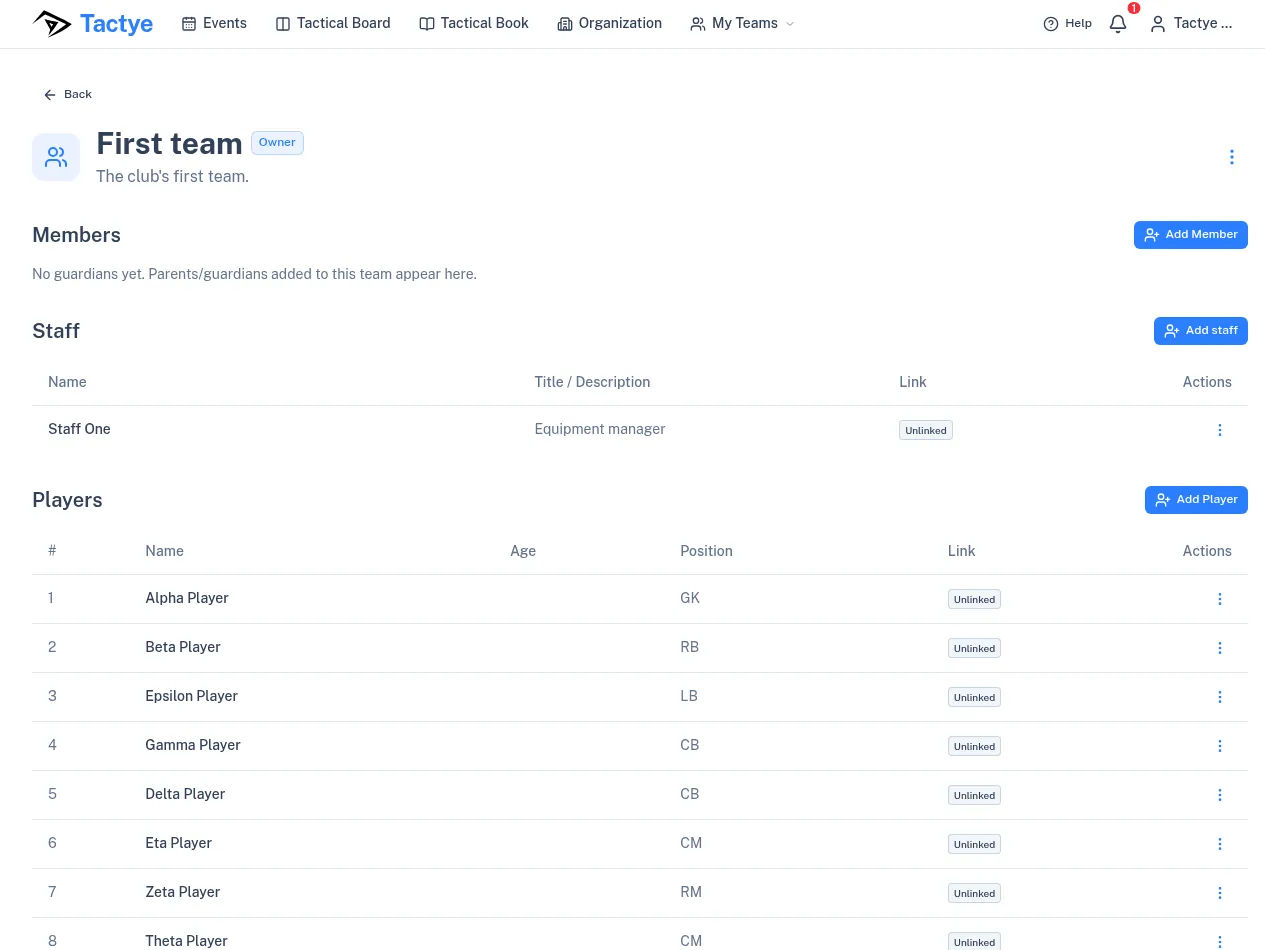
Manage each team on its own page: members, staff and players. Add officials — managers, guardians and assistants — so they can be placed in event line-ups and rosters.
Players carry their number, age and position, and can be linked to a real account so they see the plans you publish.
Built for your sport
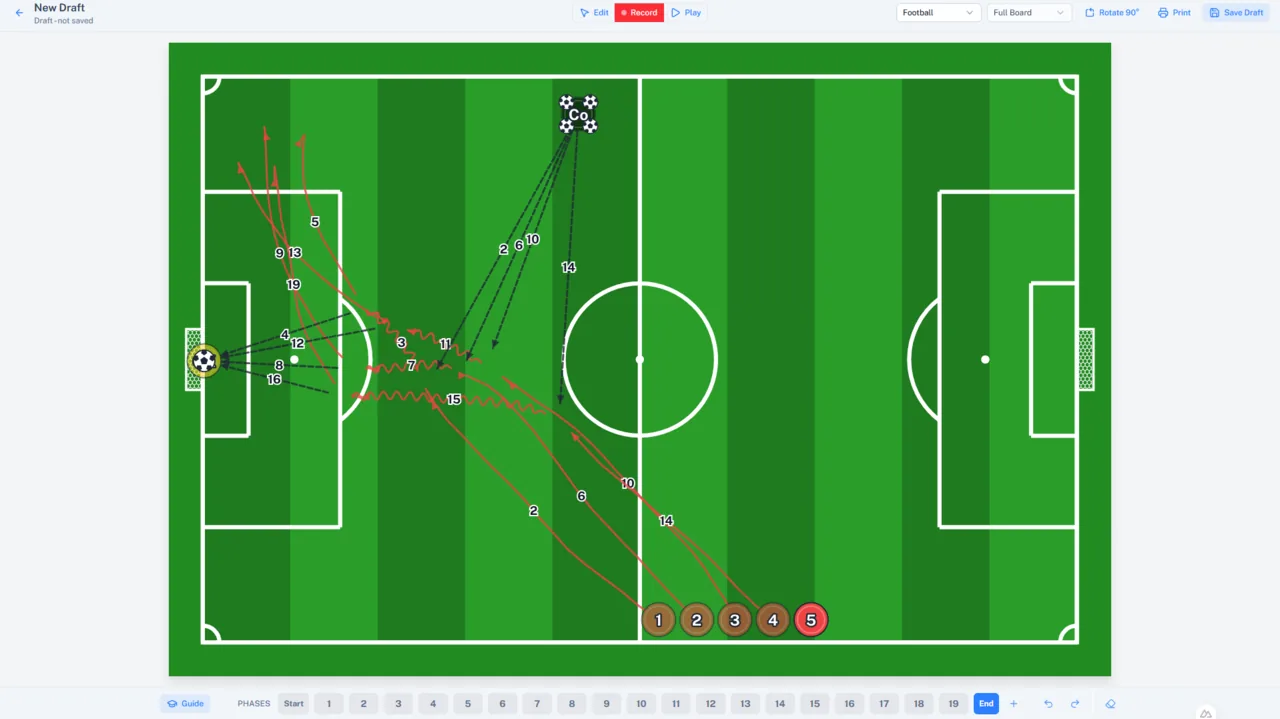
Football, basketball, hockey and floorball — each with its own field, formations and rules. Half or full board, mirror players, and multi-select and move with the lasso. Movement lines are drawn automatically whether players are with or without the ball, and phases are created automatically in transitions.
Full pitch with 4-3-3, 4-4-2 and more — plus passing, runs and pressing zones.
Every feature, explained
Pick a panel to read more about what's included.
SubscriptionDrafts practice plans and drills, draws boards, reads drill sheets, schedules and old results from files, and summarizes surveys and memos. You check everything it writes.
 Free
Use preformations for every sport (saving your own comes with a subscription). Automated lines, moving, moving with ball and passing. Multi-select to move several players at once.
 Free
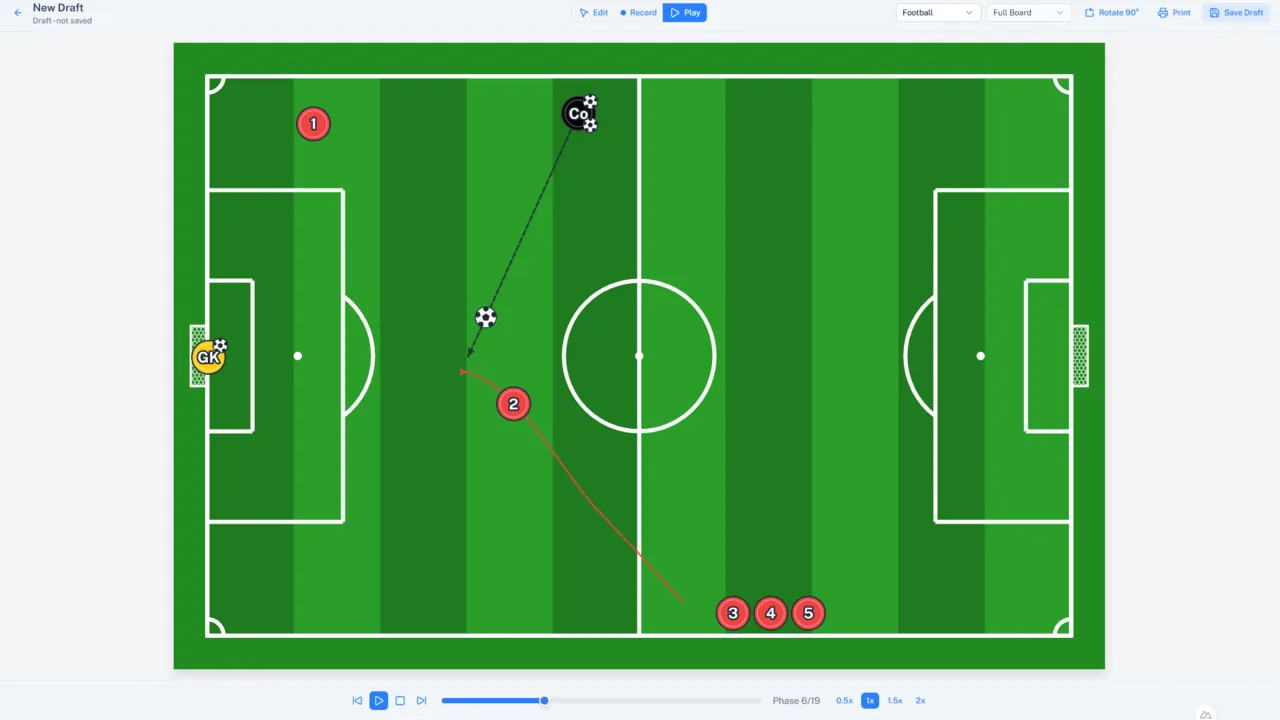
Record movement sequences and replay them across editable phases.
 Subscription
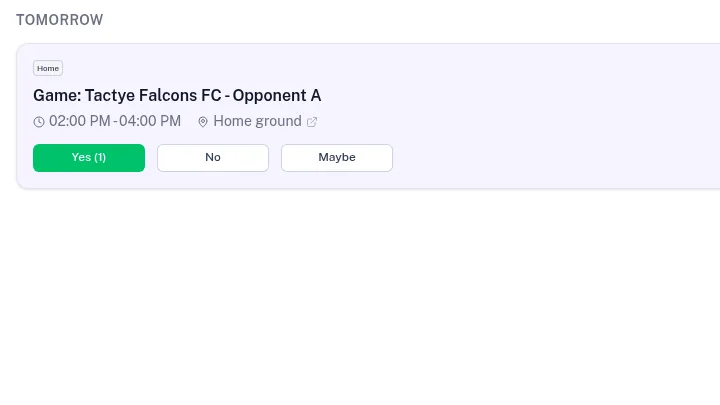
Schedule practices and games. Members RSVP to events. Build a roster from attendance.
 Subscription
Build line-ups, attach plans and notes, and start a board from a line-up with player names.
 Subscription
Publish rosters, line-ups and memos to the event so players see them — and print a hard copy.
 Subscription
Save your tactical boards, practices and practice plans to a tactical book for later use. Share everything within your organization.
SubscriptionSee what the season has really practiced: practices held, planned minutes, emphasis by theme and by phase, and the most repeated drills.
SubscriptionRecord test results on each player's card, follow progress in charts, and compare players side by side.
Free vs. Subscription
Start free with the tactical board. Unlock everything else with a subscription.
Free
Available now- Tactical board editor
- Animate plays
- Preformations for every sport
- See all the practice phase lines at once with phase indication
- Automatic lines and new phases in transitions
Subscription
Subscription- Everything in Free, plus:
- Save your own starting formations
- Events & attendance
- Line-ups & practice plans
- Publish & print, tactical book
- AI assistant — generate boards, drills & plans
No credit card required to start. Pricing for subscription features will be announced at the official launch this fall.
Ready to try it for your team?
Start free today, and unlock every feature with a subscription when your team is ready.