 Tactye
 Your account and settings
Name, email and password, your homepage, the publish confirmation, the beta programme, the terms and the AI training objection, deleting your account, and what a subscription means during the beta.
Your name
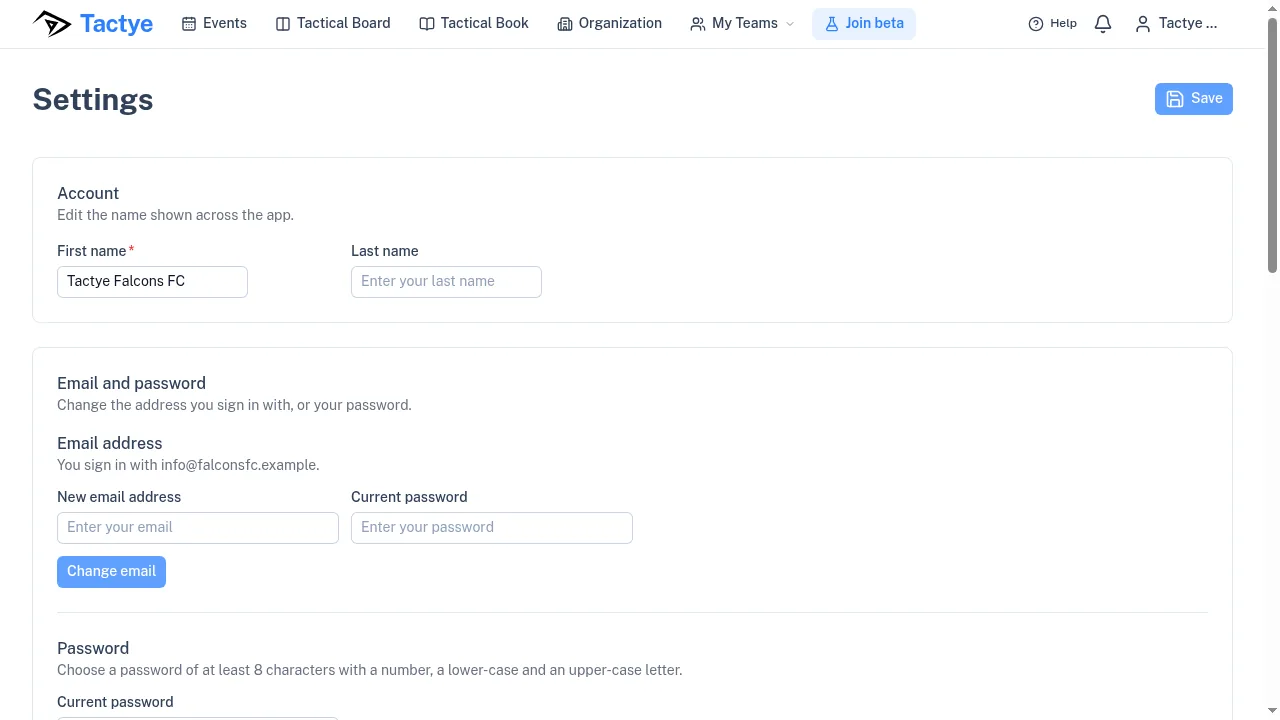
Settings opens with Account: your first and last name. A club account has a single name. One Save button at the bottom of the page saves the name, the homepage and the active organization together.
Email and password
Under Email and password, changing the email asks for the New email address and your Current password, then for a six-digit code sent to the new address. Changing the password asks for the current one and a new one of at least 8 characters with a number, a lower-case and an upper-case letter; afterwards your other devices are signed out.
Homepage and active organization
Homepage is the page that opens after you sign in and when you press the Tactye logo: the events calendar, the tactical book if you can open it, or the organization page if you are an admin. Active Organization is the organization you are working in; admins also get Manage Organization here.
The publish confirmation
Publish Confirmation is the dialog that appears before something is marked ready or published. If you ticked Don't show this again in it, Re-enable Confirmation brings it back. It is a setting of this browser.
The beta programme
The Beta program card explains the offer — full access for a limited time, plus a free month's subscription at launch — and has the Join beta testing button, or says that you have already joined. Joining sends a confirmation email, which may land in a spam folder.
Terms, privacy and AI training
Terms and privacy shows when you accepted the terms and links to the Terms of Service, the Key Terms Summary, the Privacy Notice, the Data Processing Agreement and the Sub-processors. When the terms change, the app asks you to accept the new version before you continue.
Object to AI training records your objection to your material being used to train or improve AI systems. While it is on, AI features are not available to your account, and the objection also covers the players whose profiles you manage.
Deleting your account
Delete account closes the account and deletes the organization you own, its teams and everything in them. It cannot be undone. The dialog lists exactly what goes — the club and its other members, the teams, the events, plans, boards and players — and what stays, then asks for your password and for your email address typed out.
Deletion is refused while the organization you own has an active subscription. During the beta every organization holds one that was granted rather than bought, so it cannot be ended from the billing page: email admin@tactye.com and it is ended for you, after which the account can be deleted.
The subscription during the beta
Nothing is for sale during the beta, and the Billing page says so. Instead, every organization holds a granted Standard subscription for a year, which the page shows under Plan Overview with its Usage: up to 10 teams and 400 people. Manage Billing is for subscriptions bought through the payment provider and does not appear for a granted one.
If a subscription ends
When a subscription ends, the calendar shows Your subscription has ended: teams, events and boards are hidden, not deleted, until a subscription is active again. The terms keep the data for 30 days; Extend to 180 days lengthens that to 180 days, once, and only the owner of the organization can press it.
Before the data is deleted you are warned by the bell, by email and by a banner in the last week. The email carries a link that extends the period without signing in and confirms the new date on a page of its own.